Spectra Map
Natural-language geospatial search. Type a query — a LiteLLM agent loop calls the STAC API and renders matching scene footprints as GeoJSON polygons on a MapLibre GL map.
spectra-map.shadyknollcave.io
React + MapLibre GL
LiteLLM Agent
FastAPI
Frontier-LLM
Natural-language queries mapped to CQL2-JSON STAC filters
GeoJSON footprint overlay on interactive slippy map
COG preview tiles via TiTiler in the item sidebar
Model swappable via LLM_MODEL env var — no code change
MCP STAC API
Model Context Protocol server over HTTP exposing deterministic read-only tools for the STAC API. Plug any MCP-capable LLM client directly into the drone catalog — no bespoke integration code required.
mcp-stac-api.shadyknollcave.io/mcp
MCP · HTTP
FastMCP
FastAPI
Read-only
list_collections · get_collection_info · search_stac
Asset URL normalization to public drone catalog paths
Natural-language scene search helper with label variants
/healthz and /readyz probes for K8s liveness checks
STAC API
OGC-compliant SpatioTemporal Asset Catalog API powering the entire SPECTRA stack. Serves drone imagery collections, exposes CQL2-JSON spatial and attribute filters, and acts as the authoritative catalog backend.
stac-api.shadyknollcave.io
STAC 1.0
OGC API Features
CQL2-JSON
stac-fastapi
Full STAC Item Search with spatial, temporal, and property filters
Queryable fields: spectra:ai.scene_type, activity_level, features
Backend for spectra-map, mcp-stac-api, and direct LLM tool use
TiTiler
Dynamic tile server that reads Cloud Optimized GeoTIFFs on demand via HTTP range requests. Turns any COG URL into XYZ map tiles, bbox crops, band statistics, or full-scene previews — zero preprocessing, zero data duplication.
titiler.shadyknollcave.io
COG · GeoTIFF
FastAPI
XYZ Tiles
HTTP Range Reads
/cog/tiles/{z}/{x}/{y} — XYZ tiles from any COG URL
/cog/preview and /cog/bbox/{bbox} — chip extraction
Band statistics, histogram, and COG metadata via /cog/info
Used by Spectra Map sidebar and the Live Chips section on this page
STAC Browser
Interactive web UI for navigating STAC catalogs and collections. Browse every drone imagery item, inspect metadata, preview thumbnails, and link directly to COG assets — no code required.
stac-browser.shadyknollcave.io
STAC 1.0
Radiant Earth
Vue.js
Browse collections, items, and asset links in a point-and-click UI
Renders item footprints on an embedded map alongside metadata
Works against any STAC-compliant endpoint — static or API-backed
Pointed at the drone catalog collection for instant human exploration
YOLO Computer Vision
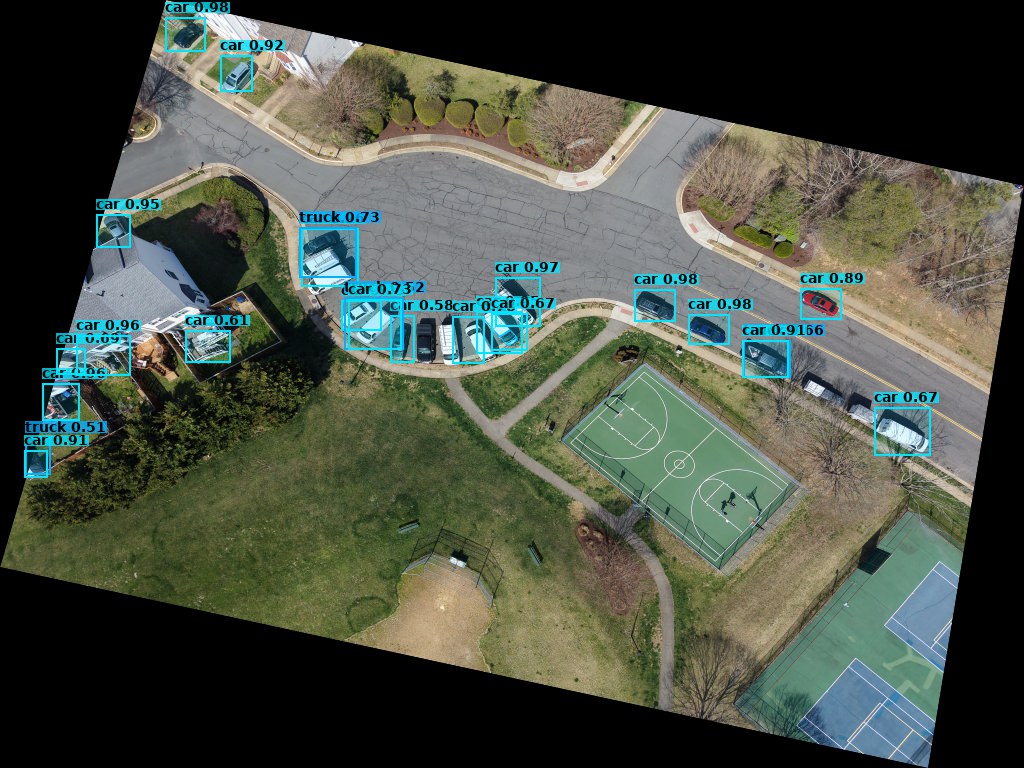
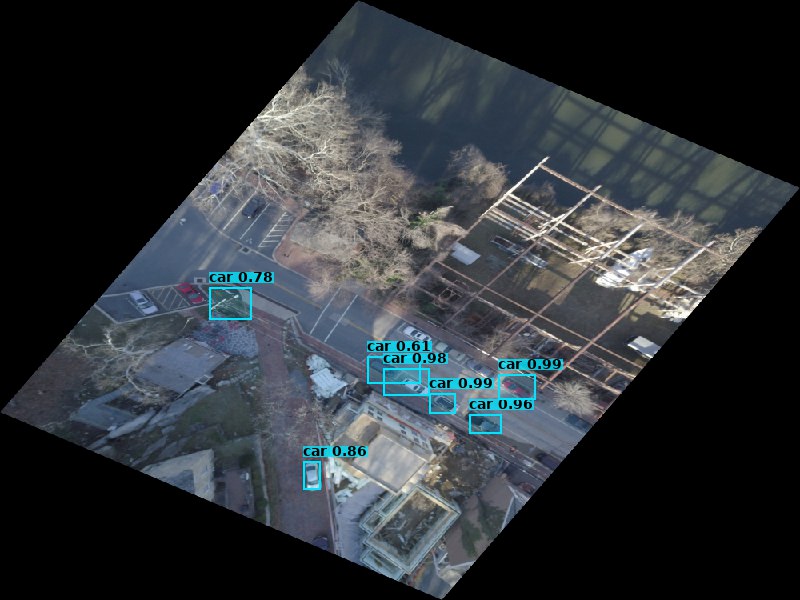
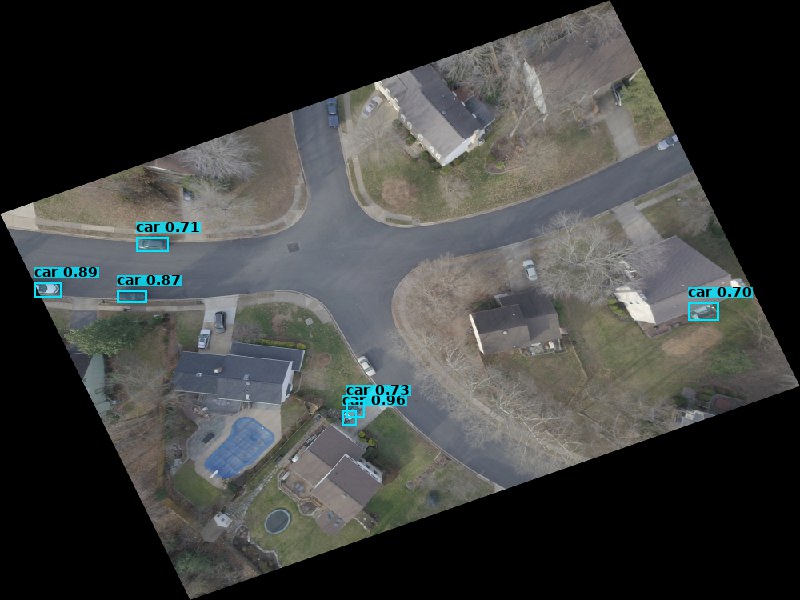
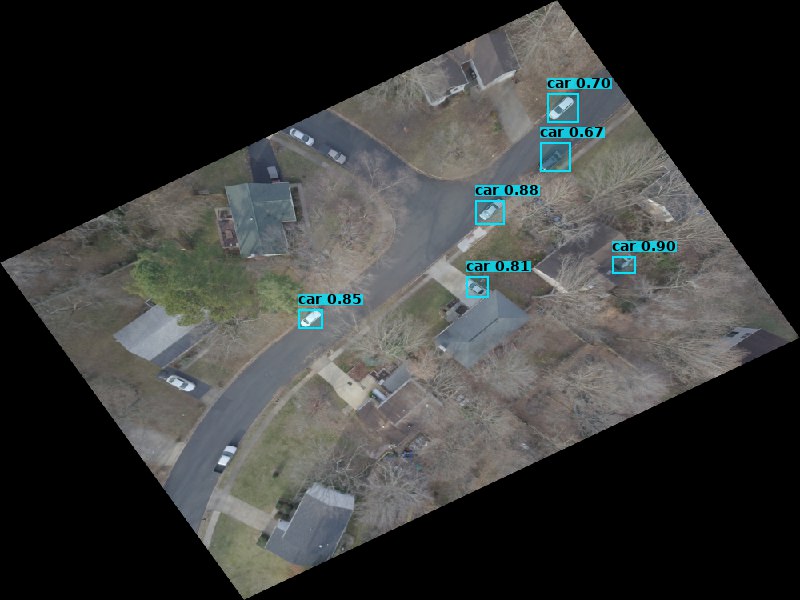
Ultralytics YOLO11 running inference against COG chips fetched via TiTiler range reads. Detects vehicles, infrastructure, and activity in drone scenes — outputs geo-registered GeoJSON bounding boxes stored back into the STAC catalog.
drone_metadata_extractor · batch pipeline
YOLO11n
Ultralytics
COCO classes
GeoJSON output
Reads COG chips via single HTTP range request — no full-scene download
Affine transform projects pixel boxes to lon/lat WGS-84 coordinates
Detection results saved as *_detections.geojson per STAC Item
Feeds spectra-enrich which writes scene labels back to the catalog
spectra-enrich
Enrichment pipeline that reads drone imagery through a Vision AI fallback chain, writes structured semantic metadata into STAC Items, embeds the text, and indexes vectors into Qdrant — powering hybrid search across the catalog.
spectra-enrich · batch enrichment pipeline
Claude Opus 4.5
nomic-embed-text
Qdrant
768-dim vectors
Vision AI reads thumbnail → overview → COG fallback chain per item
Writes spectra:ai fields: description, scene_type, activity_level, features
Embeds enriched text via Ollama nomic-embed-text-v1.5 (sentence-transformers CPU fallback)
Upserts 768-dim Cosine vectors + metadata payload to Qdrant spectra-stac collection